
Clayton County Court Records Search
Clayton County's official court search starts with the Court Case Inquiry options page. From there, ordinary public case searches split into civil and criminal paths. Each path has a name search and a case-number search. Civil search is used for public State Court, Magistrate Court, and Superior Court civil matters, including many domestic and civil docket records when they are not sealed or otherwise restricted. Criminal search is used for State Court misdemeanors, Magistrate criminal events, and Superior Court felony records.
The portal is not a full index of every court file in Clayton County. The county warns that the public cannot access adoption, Juvenile Court, Probate Court, protective orders, restricted cases, sealed cases, cases filed before the court entered data in the Judicial Information System, or cases outside Clayton County through this search. If a search fails, the next step is often the correct clerk division, the Probate Court estate search, the State Court traffic channel, or the county open-records request portal.
The Clayton County Court Search Options screen is the source for the court records search choices shown below.
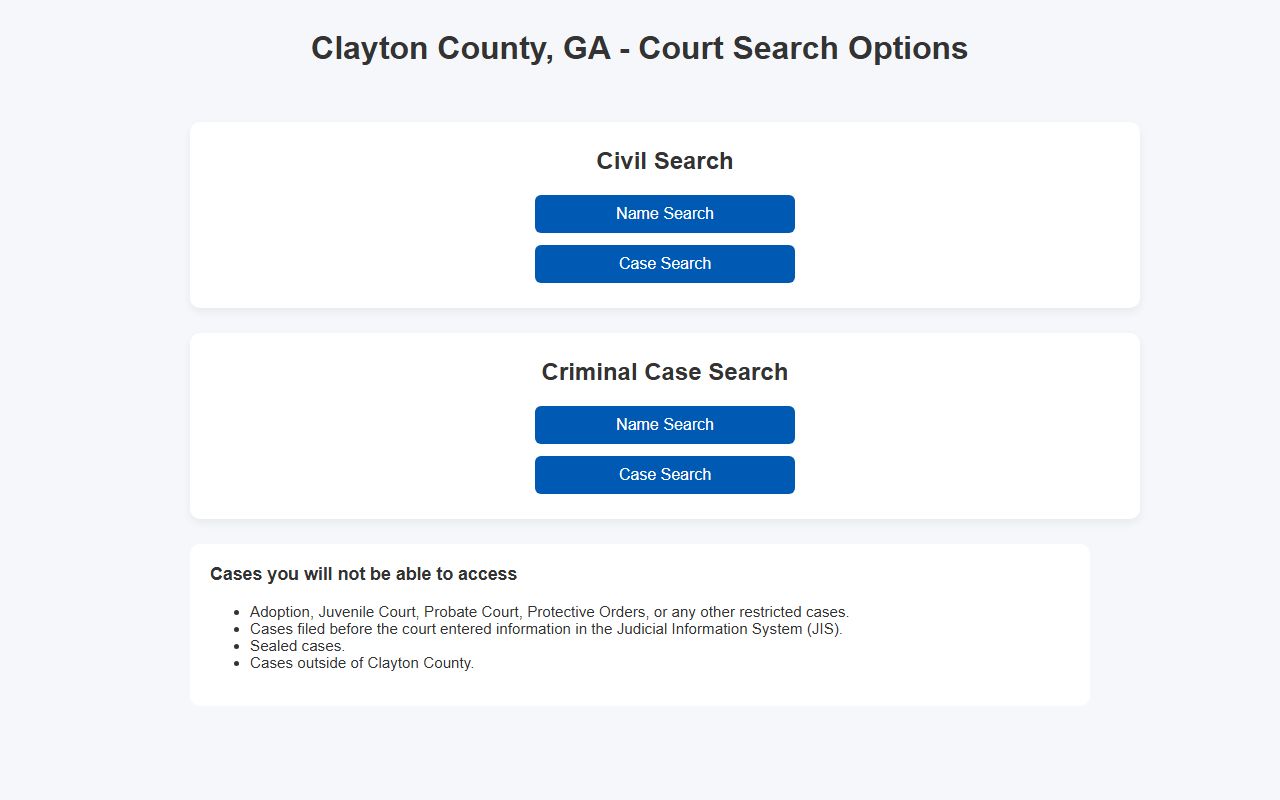
The options screen matters because civil and criminal searches use different forms and may require different case-number pieces.
- Open the county Court Case Inquiry options page and choose either civil or criminal search.
- Select Name Search when only a party name is known, or Case Search when the case number appears on a notice, subpoena, citation, or docket document.
- Pick the court. Name search allows All Courts, while case search lists State Court, Magistrate Court, and Superior Court.
- For name search, enter the last name and add a first name or first initial when the result set is too broad.
- For case search, enter the year, case type, sequence, and optional division exactly as shown on the case paper.
- If no record appears, check the excluded categories before assuming the case does not exist.
- For certified copies, older records, or unavailable files, contact the appropriate clerk division or use the Clayton County Open Records Request portal.
Clayton County Court Records Fields
The main case inquiry forms use a small set of required fields. Name searches are more forgiving when the exact case number is unknown, but they still require a court selection and last name. Case-number searches are more precise. They require the year, case type, and sequence parts, with an optional division field where the case number includes one. Preserving spaces and letter codes from the original notice helps avoid failed searches.
| Search Form | Required Fields | Optional Fields | Format Notes |
|---|---|---|---|
| Civil Name Search | Select Court, Last Name | First Name or first initial | All Courts, State Court, Magistrate Court, and Superior Court appear as choices. |
| Civil Case Search | Court, Year, Type, Sequence | Division | The research example uses a format like 2004 CV 03272 LW. |
| Criminal Name Search | Select Court, Last Name | First Name or first initial | All Courts can be selected for name-based criminal lookup. |
| Criminal Case Search | Court, Year, Type, Sequence | Division | The research example uses a format like 2005 CS 00052 07. |
The Civil Name Search form shows the court dropdown, required last-name field, and optional first-name field.
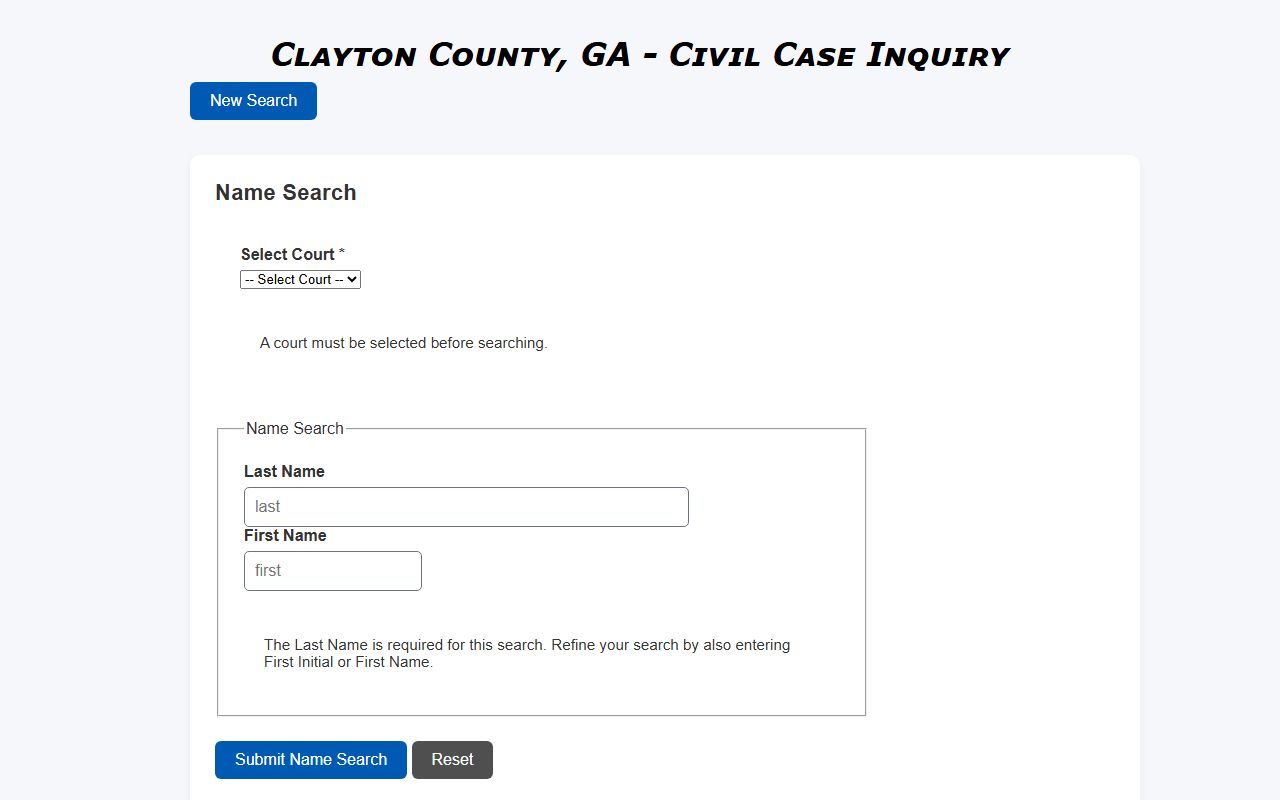
Use that form when a civil party name is known but the full case number is not available.
The Civil Case Search form separates the case number into year, type, sequence, and division fields.
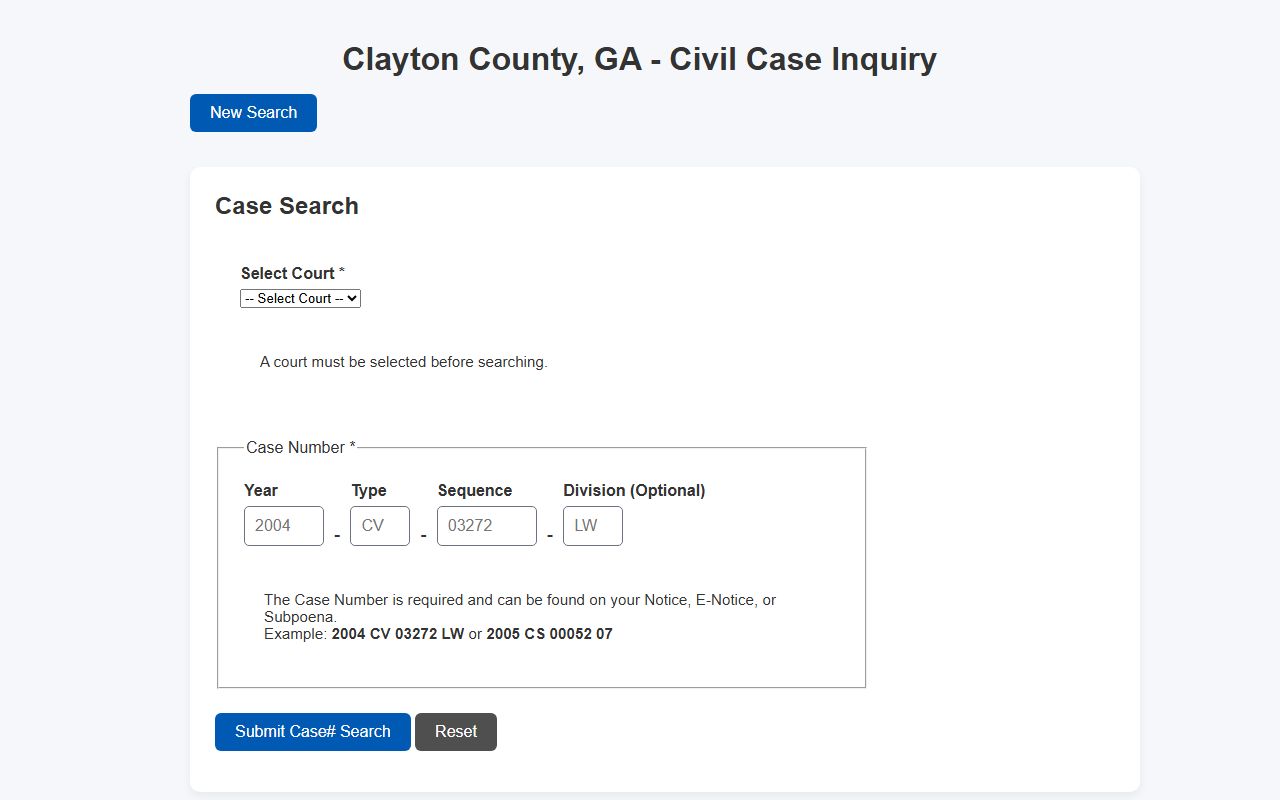
That layout is useful when the case number came from a filing notice, docket entry, or clerk correspondence.
Clayton County Court Record Types
Clayton County court records are divided by case type and by the court that has jurisdiction. Superior Court handles felony prosecutions, divorce, title-to-land issues, equity, habeas, mandamus, declaratory judgment, adoptions, and appeals from lower courts. State Court handles misdemeanors, traffic violations, and civil actions unless Superior Court has exclusive jurisdiction. Magistrate Court handles small civil disputes up to $15,000, dispossessory cases, garnishments, county ordinance matters, preliminary hearings, and arrest or search warrants.
Probate Court is different. Estate files are not part of the main court inquiry and instead use Probate Court's online estate records process. Juvenile Court records are also different because many juvenile files are confidential or restricted by law. Municipal court files can stay with the issuing city when the matter is a city citation, local ordinance case, or municipal failure-to-appear issue.
- Civil files: complaints, answers, motions, notices, orders, judgments, garnishments, dispossessory filings, small claims, and post-judgment activity.
- Criminal files: charges, bond events, preliminary hearings, pleas, dispositions, and sentencing details for State, Magistrate, or Superior Court cases.
- Family files: divorce petitions, answers, settlement agreements, custody orders, support orders, contempt motions, and final decrees when public.
- Traffic files: citation activity, court dates, payment status, plea or disposition, and related State Court traffic records.
- Probate files: wills, estates, administrations, guardianships, conservatorships, and available estate document images through Probate Court.
For criminal lookup, the Criminal Name Search form starts with a court selection and required last name.
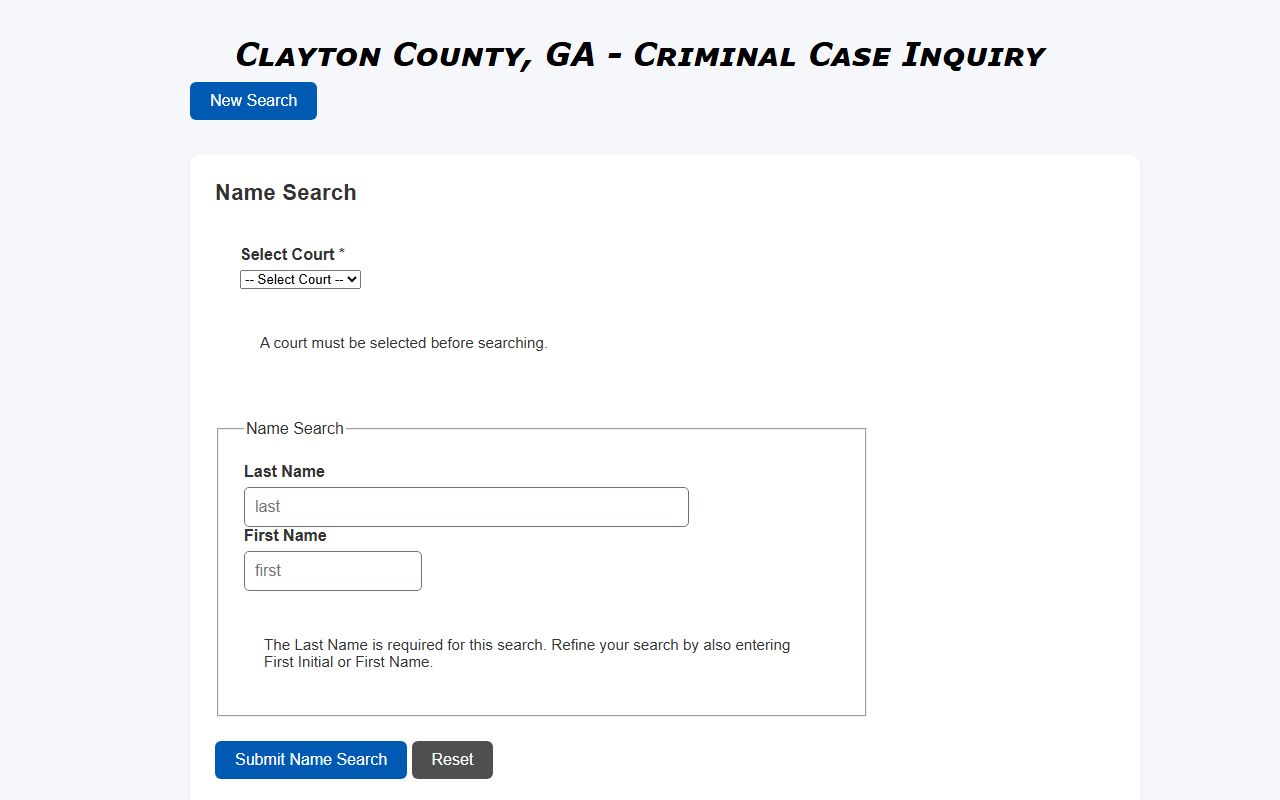
Name searching is helpful for criminal court records when the case number is unknown, but common names may require first-name narrowing.
The Criminal Case Search form uses the criminal case-number parts documented in county research.
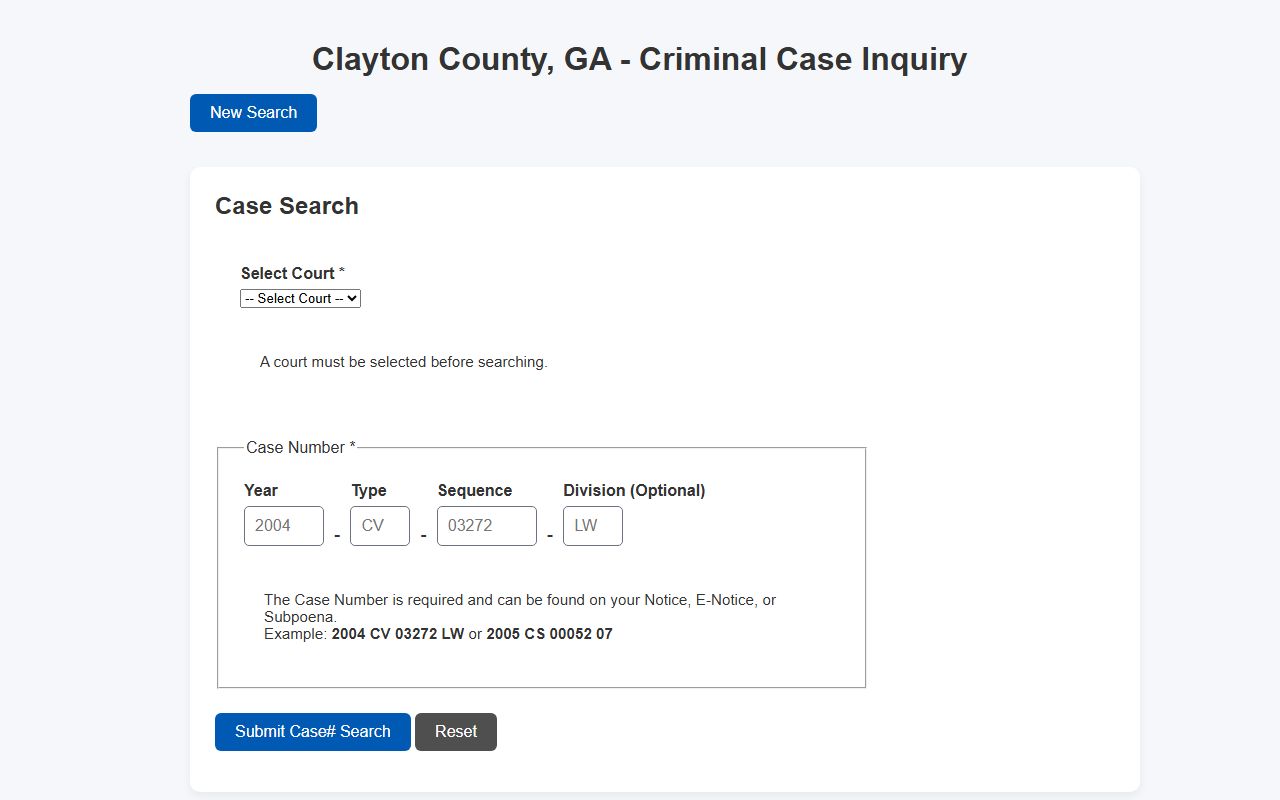
A criminal case-number search is the better route when court papers list the year, type code, sequence, and division.
What Clayton County Court Records Show
A public case result can identify the court, case number, party name, case type, filing activity, and docket history. The research file did not capture a live sample case detail page without a known case, so the safest field inventory is based on the county search forms and the record practices documented for each court. Criminal records may add charge, bond, preliminary hearing, prosecutor, plea, disposition, sentence, and probation information. Traffic records may add citation number, court date, fine or payment status, charge, and disposition.
| Field | What It Shows |
|---|---|
| Case Number | The year, type code, sequence, and optional division used to identify the court file. |
| Court | Whether the record belongs to State Court, Magistrate Court, or Superior Court in the public inquiry. |
| Party Name | The plaintiff, defendant, petitioner, respondent, or criminal defendant tied to the case. |
| Filing Metadata | Case type, filing date, status, and docket entries when visible in the case detail. |
| Criminal Metadata | Charge, warrant or arrest path, bond, hearing, plea, disposition, sentence, or probation information when available. |
| Access Limits | Sealed, juvenile, adoption, probate, protective order, restricted, pre-JIS, or non-Clayton exclusions. |
- Docket
- The chronological list of filings and events in a case.
- Disposition
- The outcome of a case or charge, such as dismissed, guilty, or judgment entered.
- Order
- A judge's written directive.
- Judgment
- The final decision or enforceable ruling in a case.
Clayton County Court Records Access
Georgia's public access framework starts with the Georgia Open Records Act, including O.C.G.A. Section 50-18-70 et seq. and related request rules. The Attorney General's Open Records Act guide explains inspection and copying duties, while O.C.G.A. Section 50-18-72 lists exemptions. For court records, Uniform Superior Court Rule 21 states that records are public unless access is limited by law or the sealing procedure.
Clayton County applies those rules through several access channels. Public Superior, State, and Magistrate case records start in Court Case Inquiry. Certified copies route to the Clerk of Superior and Magistrate Court or the State Court Clerk, depending on the court. Probate estates route to Probate Online Estate Records. Juvenile records are not ordinary public records. For records not published online, the county's Public Records and Forms page points users to the GovQA request process.
The Clayton County Public Records and Forms page is the official source for the open-records request route.
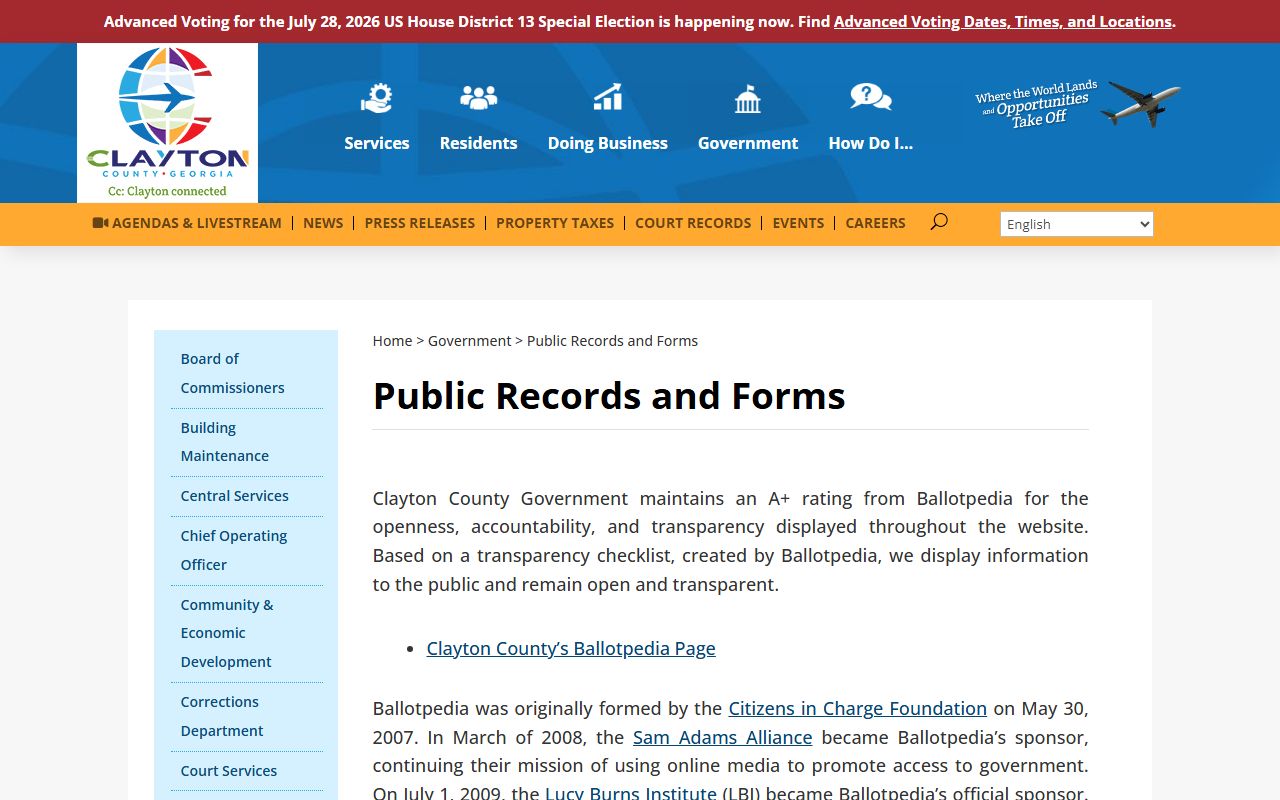
Use the open-records route for non-published administrative records, while certified court copies still come from the clerk with custody of the case file.
Note: A public search printout is not the same as a certified copy issued by the clerk.
Restricted Clayton County Court Records
Some Clayton County court records will not appear in the public search even when they exist. The documented exclusions include Juvenile Court records, sealed cases, adoption files, protective orders, Probate Court matters in the main portal, other restricted matters, older pre-JIS files, and cases from outside Clayton County. Access may depend on party status, attorney authority, a court order, or a clerk review.
Georgia also uses record restriction for some criminal-history limits. O.C.G.A. Section 35-3-37 allows certain criminal history records to be restricted for non-criminal-justice purposes when approved by the prosecutor or ordered by a court. In Clayton County, an arrest or charge record may involve the arresting agency, the District Attorney or Solicitor General, and the court file. Sealed court records can remain visible to criminal justice agencies even when they are not visible to the general public.
Clayton County Clerk Record Requests
Certified copies and case-specific questions should go to the office that keeps the record. Superior and Magistrate records route through the Clerk of Superior and Magistrate Court. State Court misdemeanor, traffic, and State Court civil records route through the Clerk of State Court. The Superior and Magistrate clerk also offers eCertification for certified and regular court and real estate records, while Odyssey is used for Superior and Magistrate civil and criminal e-filing.
Clerk of Superior and Magistrate Court
Harold R. Banke Justice Center
9151 Tara Boulevard, Room 1CL25
Jonesboro, GA 30236-4912
(770) 477-3395
Superior Court Records: (770) 477-3405
Magistrate Court: (770) 477-3443
Clerk of State Court
Harold R. Banke Justice Center
9151 Tara Boulevard, Room 1CL181
Jonesboro, GA 30236-4912
(678) 479-5521
Traffic Division: (770) 477-3386